Best Wireless Keyboards for Home Office (2026)
2 min read
Disclosure: We may earn a commission when you buy through links on this page, at no extra cost to you. Full details.
Ready to buy?
We'll take you to the best local price on Amazon
The right wireless keyboard transforms your desk setup — less clutter, more freedom to position it perfectly. We tested the top options for comfort, battery life, and reliability across long work sessions.
Why We Picked These
We prioritised keyboards with multi-device pairing, satisfying key travel, and batteries that last weeks not hours.1. Logitech MX Keys
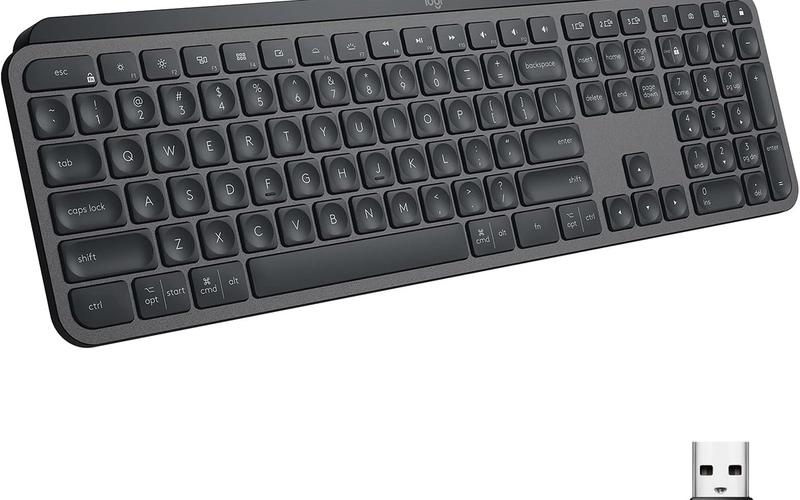
The MX Keys is the gold standard for productivity typists. Smart illumination adjusts to ambient light and the concave keys reduce typos dramatically. Key specs: Price ~$99 | Rating: ★★★★★- Backlit with smart adjustment
- Easy-Switch for 3 devices
- USB-C rechargeable
- Pricey
- No mechanical option
2. Logitech K380 Bluetooth
Ultra-portable and works with virtually any device. The round keys are quirky but comfortable after a short adjustment period. Key specs: Price ~$39 | Rating: ★★★★☆- Pairs to 3 devices
- Very portable
- 2-year battery life
- Round keys take adjustment
- No backlight
3. Apple Magic Keyboard
Scissor-switch perfection for Mac users. Slim, silent, and the Touch ID version adds biometric login convenience. Key specs: Price ~$99 | Rating: ★★★★★- Seamless Mac integration
- Slim & silent
- Lightning charge
- Mac/iPad only
- Lightning not USB-C on some models
4. Microsoft Sculpt Ergonomic
Curved split layout reduces wrist strain significantly. The separate number pad is a clever touch that keeps the mouse closer. Key specs: Price ~$89 | Rating: ★★★★☆- Ergonomic split design
- Separate numpad
- Good for RSI prevention
- AAA batteries
- Takes a few days to adapt
5. Keychron K2 Wireless
The best mechanical-wireless crossover under $100. Hot-swappable switches mean you can tune the feel exactly to your preference. Key specs: Price ~$89 | Rating: ★★★★★- Hot-swappable switches
- Bluetooth + USB-C
- Compact 75% layout
- Takes time to configure
- Louder than membrane
Buying Guide
For pure productivity, the MX Keys wins. Tight budget? The K380 is unbeatable at $39. Mac users should stick with the Magic Keyboard. Mechanical fans will love the Keychron K2.Weekly reviews in your inbox
No spam. Unsubscribe any time.